Kid_Dashboard

Do chores. Earn points. Buy what you planned for.

Kids find the app first and ask a parent to set it up together. Kids lead the journey. Parents stay close to help.

Earn Power Points

Finish quests and challenges. Points go into your wallet.

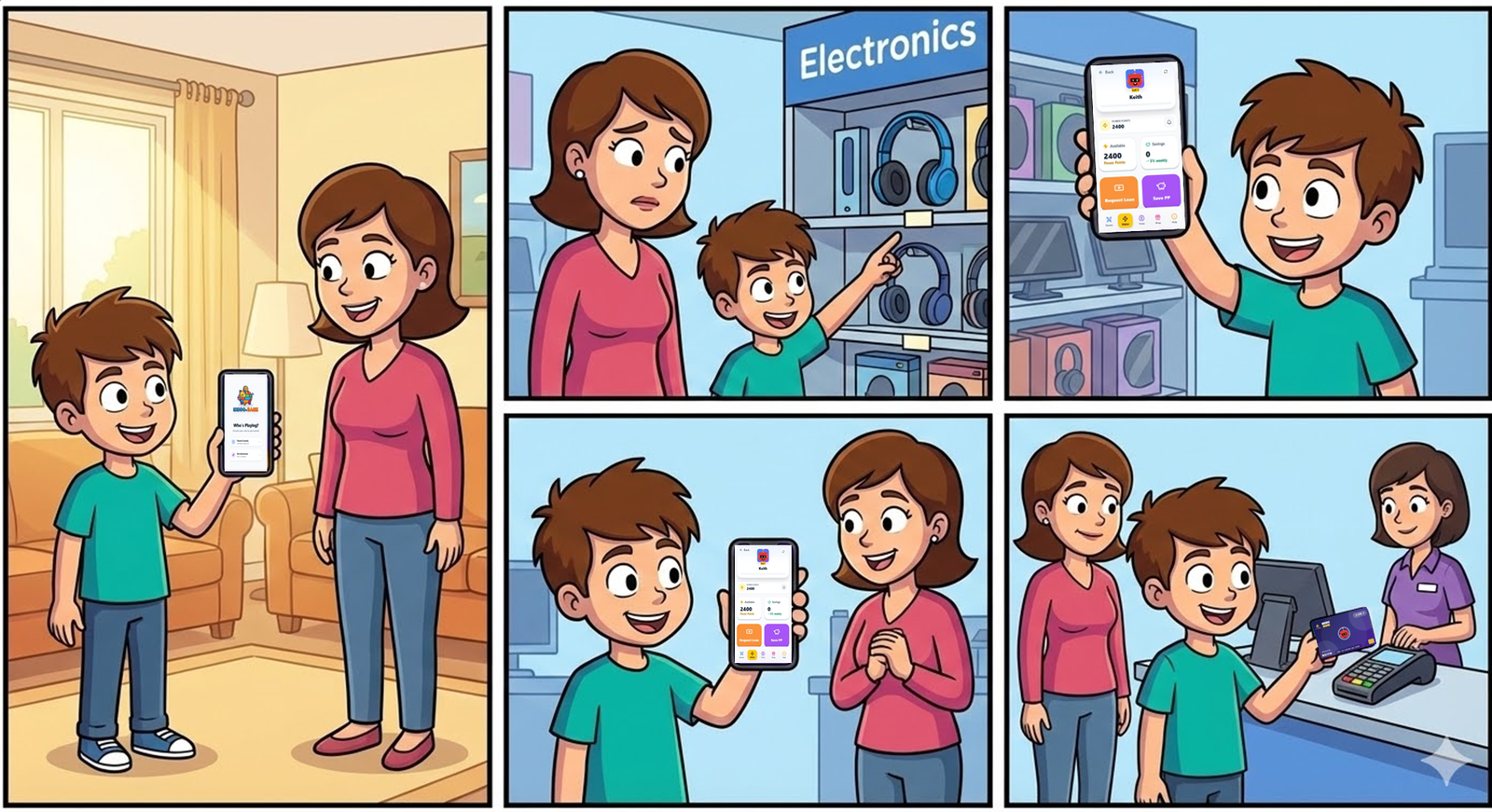
Keith at the mall with his Kid Debit Card and his mom smiling
Keith shows his wallet: 2,400 PP. Mom says, "You earned that. Go for it."
Kid wallet screen

Tap Through The Tabs

Your dashboard, your choices.

Tap a tab to see what it does.

Wallet

See your points right now.

Your wallet shows points, savings, and your earning history.

Tip: "I can show what I earned."

Parent + Kid Features

Strong features for kids and parents.

Simple to use for kids. Strong control for parents.

Parent controls

  • Parents create and manage child profiles.
  • Parents set PINs and control access settings.
  • Parents control privacy and review options.

Safe child login

  • Kids sign in with a 4-digit PIN.
  • The PIN is stored in hashed form for safety.
  • Each device uses one-time activation flow.

Smart chores + proof rules

  • Photo proof is optional per chore.
  • If a chore does not need a photo, the app should not ask for one.
  • Parents can choose manual review or optional AI review.

AI photo safety

  • AI review is optional and parent-controlled.
  • It is intended to reject photos with visible body parts and ask for a retake.
  • Manual parent review is always available.

BrainQuest AI trivia safety

  • Questions are tuned for age and grade.
  • Safety filters are intended to block bad words and unsafe topics.
  • Built for learning with simple reading level.

Money learning loop

  • Kids earn points, save, get rewards, and request kid-friendly loans.
  • This is virtual money learning, not real-money banking flow.
  • AI can help rewrite parent loan feedback in kinder words.

Child privacy

  • COPPA-style parent gatekeeping is built into setup.
  • No behavioral ad targeting for kids.
  • In-app account deletion support is included.

Keith Story

The headphones moment.

At the mall, Keith wants headphones. Mom says, "Not today, Keith."

Keith opens Kiddo-Bank and shows 2,400 Power Points from chores, reading, and saving.

Mom smiles: "You earned that. Go for it." Keith taps his Kid Debit Card and buys them.

Kiddo-Bank story banner showing kids learning money skills
1. Earn Do tasks and collect points.
2. Save Keep points for your goal.
3. Spend Smart Use your card when you are ready.

Ready

Let your kid lead. Set it up together.

Kids learn money by doing. Parents stay close to guide.

Download on App Store